Quick answer: meta tags are HTML, keywords are topic phrases
The main difference between meta tags and keywords is simple. Meta tags are pieces of HTML metadata that describe a web page to browsers, search platforms, crawlers and social networks. Keywords are the words or phrases people search for and the terms a page is built around.
In short, meta tags live in the page source. Keywords live in your SEO strategy, content structure, headings, links, image alt text and page copy.
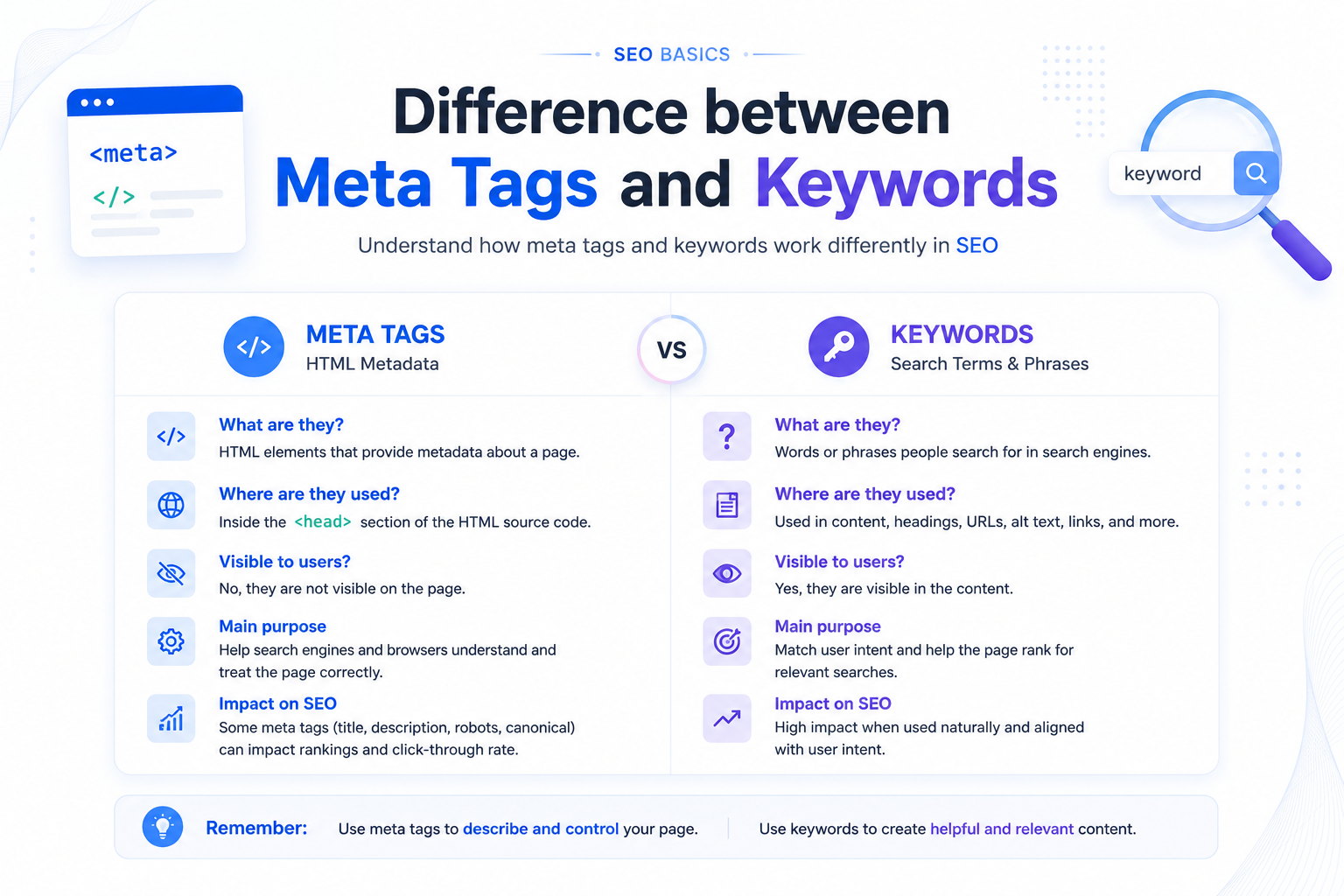
| Point | Meta Tags | Keywords |
|---|---|---|
| Meaning | HTML metadata elements that give information about a web page. | Search terms and topic phrases that represent what users are looking for. |
| Location | Usually inside the HTML head or source code. | Used in page copy, headings, links, image alt text, URLs and planning documents. |
| User visibility | Mostly hidden from the average visitor. | Often visible in the article, headings and navigation. |
| Main job | Describe, control or preview the page. | Match the page with search intent and relevant queries. |
| Common mistake | Thinking the old keyword field can rank a page. | Repeating search terms unnaturally instead of writing useful content. |
What are meta tags?
Meta tags are HTML elements that provide metadata about a page. They help browsers, crawlers and social platforms understand the page title, summary, indexing preference, canonical version and sharing preview.
A normal visitor usually does not see these elements on the page. They are visible inside “view page source” or browser developer tools.
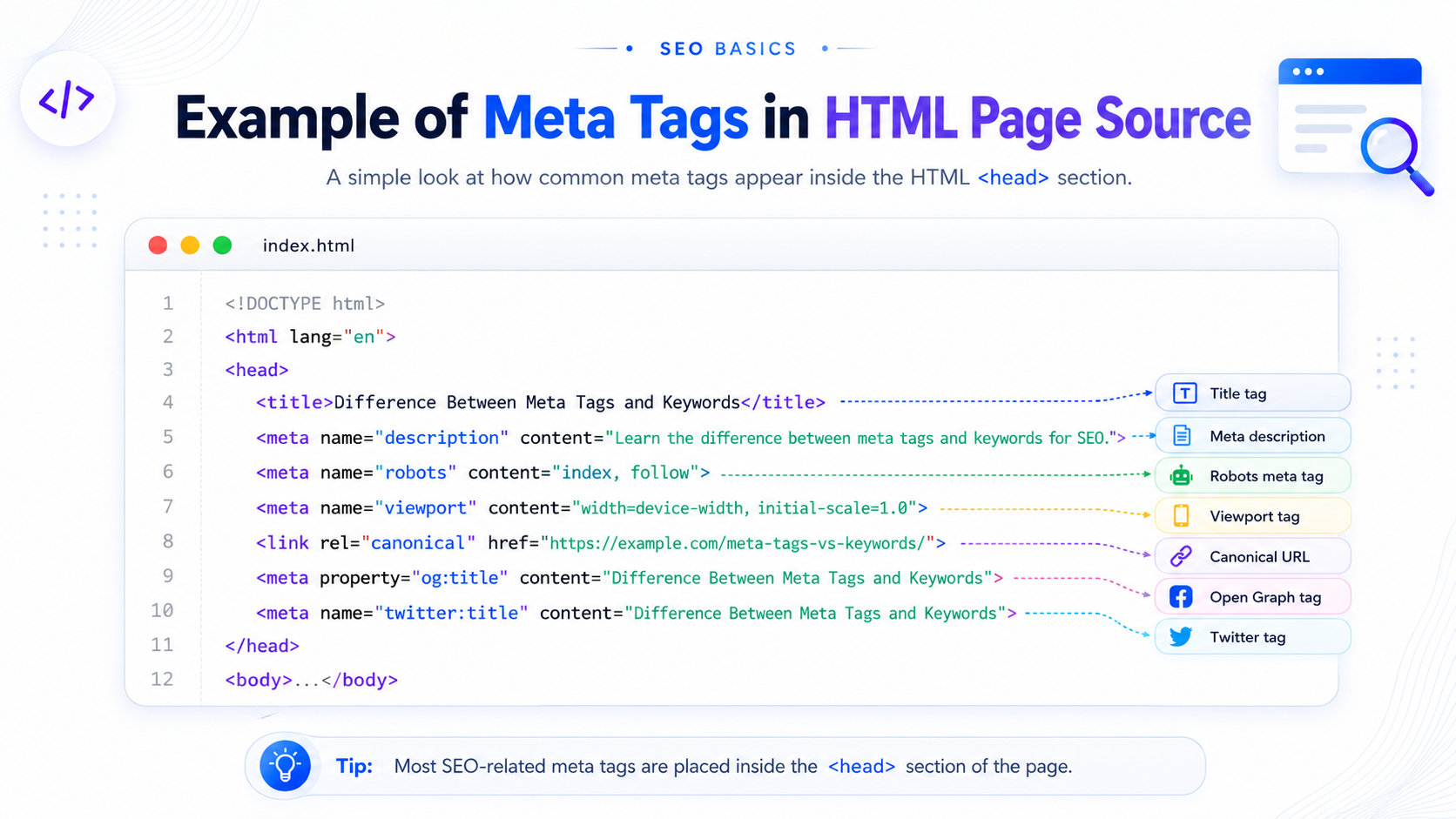
<title>Difference Between Meta Tags and Keywords</title>
<meta name="description" content="Learn the difference between meta tags and keywords for SEO.">
<meta name="robots" content="index, follow">
Do these HTML elements help search engines?
Yes, several of them help search engines process a page. The title element gives a strong topic signal. The description can influence the snippet and click-through rate. The robots field can control indexing. Canonical markup can help avoid duplicate URL confusion.
What are keywords?
Keywords are the search terms and phrases users type into Google or another search engine. They can be short, such as “meta tag”, or long-tail, such as “difference between meta tags and keywords”.
In SEO, keyword research helps you understand what people want, how they phrase questions, and what content should be included on a page. Good keyword use is natural and helpful. It should not feel forced.
Main Topic
The primary search phrase the article is built around.
Supporting Terms
Related phrases that make the content more complete.
User Intent
The reason behind the search: learning, comparing or solving a problem.
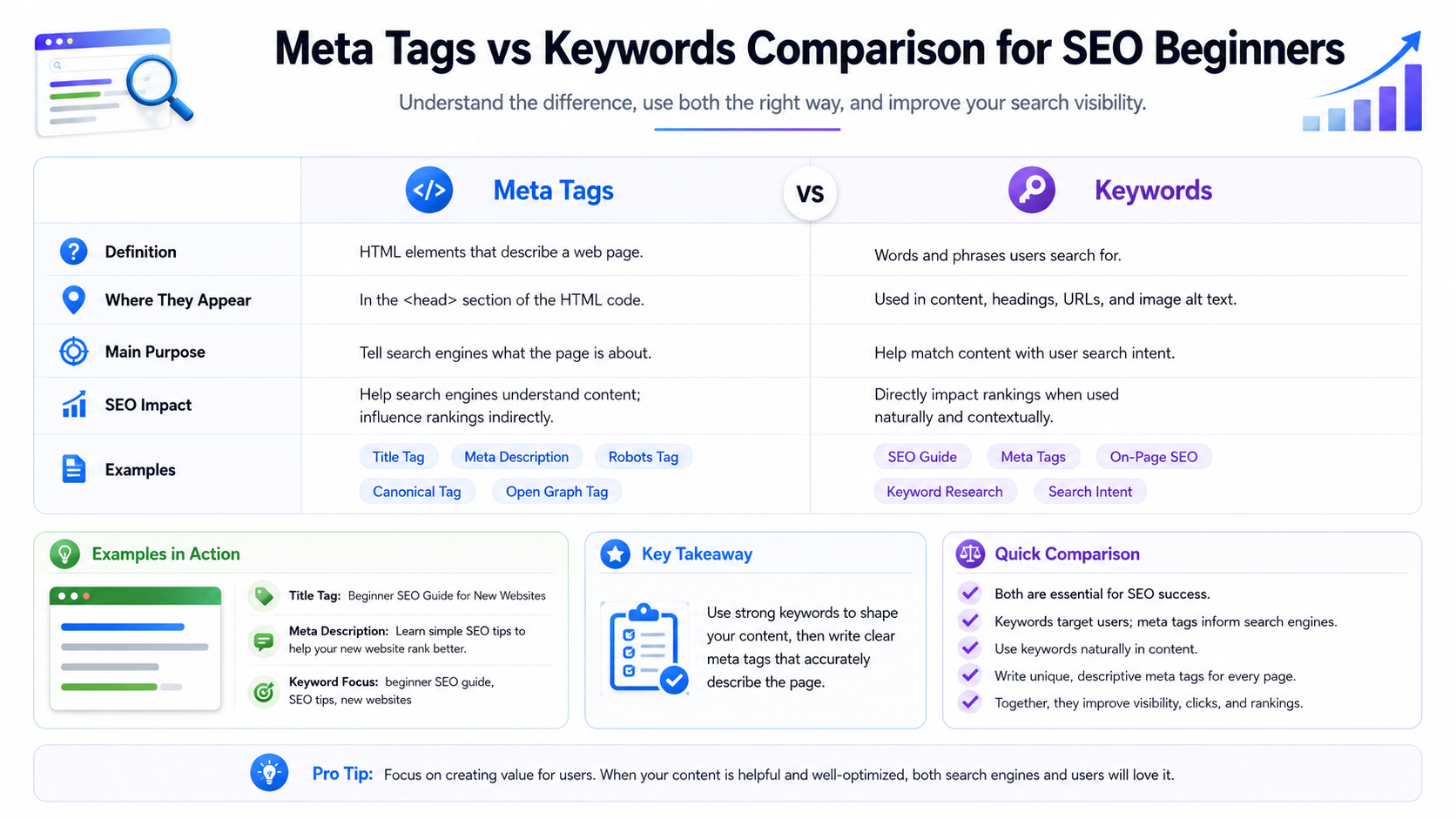
Meta tags vs keywords: the real SEO difference
The phrase “meta tags vs keywords” is confusing because older SEO tutorials mixed the old meta keyword field with real keyword research. Modern SEO treats them separately.
Metadata elements support technical setup, presentation and crawl control. Search phrases guide the actual content, headings, examples and internal linking strategy.
| Question | Correct Answer |
|---|---|
| Are keywords the same as meta tags? | No. One is a content/search concept, the other is HTML metadata. |
| Are meta tags visible to users? | Mostly no. They are normally visible in source code, not on the rendered page. |
| Do keywords still matter? | Yes. They matter for topic relevance, content planning and matching search intent. |
| Does the old keyword field still help ranking? | No. It is obsolete for modern Google SEO and easy to abuse. |
| Which elements affect click-through? | The page title and description can affect how users react on the search results page. |
What is the meta keyword tag?
The meta keyword tag was an old HTML field where site owners listed target phrases for a page.
<meta name="keywords" content="seo, metadata, search terms, on-page optimization">
It became unreliable because many websites filled it with repeated or unrelated phrases. As a result, major search engines stopped using it as a meaningful ranking signal.
Should you add it today?
For most websites, no. It does not create real ranking benefit. It is better to spend time improving the title, description, headings, body copy, internal links, structured data and image alt text.
Important meta tags for SEO
Not every metadata element is useless. Some are highly important because they control indexing, previews, duplicate handling and how your page appears in search or social sharing.
| Element | Purpose | SEO Value |
|---|---|---|
| Title tag | Shows the page title in browser tabs and often search snippets. | High. It strongly defines the page topic. |
| Meta description | Gives a short page summary for snippets. | Medium. It can improve click-through rate. |
| Robots tag | Controls index and follow behavior. | High for crawl and index control. |
| Canonical link | Points to the preferred version of a URL. | High for duplicate URL management. |
| Open Graph | Controls page preview on social platforms. | Indirect value through better sharing. |
| Twitter card | Controls Twitter/X preview title, summary and image. | Indirect value through better social presentation. |
You can create clean HTML metadata using the Meta Tags Generator and validate structured data using the Schema Markup Checker.
Title tag vs OG title vs Twitter title
These three fields can look similar, but they are used in different places. The title tag is mainly for organic search and browser tabs. OG title is for Open Graph previews on platforms like Facebook, LinkedIn and WhatsApp. Twitter title is for Twitter/X card previews.
| Field | Where It Appears | Best Use |
|---|---|---|
| Title tag | Browser tab and search results. | Use the main topic clearly and make it clickable. |
| og:title | Facebook, LinkedIn, WhatsApp and similar platforms. | Make it social-friendly and engaging. |
| twitter:title | Twitter/X card preview. | Keep it short and readable in a social feed. |
What is keyword tagging?
Keyword tagging means organizing content with labels or topic categories. For example, a blog post may be tagged under SEO, on-page optimization, search snippets or technical setup.
This is different from the old meta keyword field. Tagging can help users browse related content, but it should not create many thin pages with no useful information.
Tagging vs old keyword metadata
- Tagging organizes content into topics or categories.
- The old keyword field is hidden in source code and no longer useful for Google ranking.
- Tags can help users if the tag pages are valuable.
- Bad tag pages can create duplicate or thin content.
- Use tags to improve navigation, not to stuff repeated phrases.
Best practices for meta tags and keywords
The correct approach is to use technical metadata and search terms together. Do not overload fields with repeated phrases. Make each page clear, useful and aligned with user intent.
1. Start with one main topic
Choose one clear primary phrase. For this article, the topic is the difference between meta tags and keywords. The headline, introduction and headings should support that subject naturally.
2. Write for clicks, not stuffing
A good page title should be specific and useful. Avoid turning it into a long list of repeated search terms.
3. Use the description to improve CTR
The description should summarize the page and encourage clicks from the SERP. It should describe the content accurately.
4. Avoid keyword stuffing
Repeating the same phrase too often can make the page look low quality. Use natural language, synonyms and useful examples.
5. Add helpful images
Use diagrams, screenshots and comparison graphics. Add descriptive alt text, compress image files, and avoid random stock photos.
6. Check your source code
Use “view page source” to confirm that your title, description, canonical, robots instructions, social preview fields and schema are present.
7. Use SEO tools
Use the On-Page SEO Checker to review headings, links, metadata and schema issues. Use the Meta Tags Generator to build clean page metadata.
Common mistakes beginners make
- Thinking the old keyword field can rank a page.
- Using the same title and description on every page.
- Writing metadata that does not match the page content.
- Ignoring user intent and only chasing exact-match phrases.
- Creating tag pages with no useful content.
- Forgetting image alt text and internal links.
- Adding social preview fields but missing the actual SEO title.
Correct setup example
A clean page uses a clear title, useful description, canonical URL, social preview fields and natural content.
<title>Difference Between Meta Tags and Keywords</title>
<meta name="description" content="Learn how HTML metadata and SEO search terms work differently.">
<link rel="canonical" href="https://www.example.com/blog/difference-between-meta-tags-and-keywords/">
<meta property="og:title" content="Meta Tags vs Keywords: Beginner Guide">
<meta name="twitter:title" content="Meta Tags vs Keywords Explained">
FAQ
What is the difference between meta tags and keywords?
Meta tags are HTML metadata elements. Keywords are search terms and phrases that describe the page topic and user intent.
What is the difference between a meta tag and a keyword tag?
A meta tag is a broad HTML metadata element. A keyword tag usually refers to the old meta keywords field, which is obsolete for modern Google SEO.
Do meta tags help search rankings?
Some do. The title tag, robots field, canonical link and structured data can affect SEO. The description can improve click-through rate. The old keyword field does not help rankings.
Are keywords visible to search engines?
Yes. Search terms are visible when they appear naturally in headings, body copy, links, image alt text and other crawlable areas.
Should I repeat the same keyword many times?
No. Write naturally. Repetition without value can look like stuffing and reduce content quality.
What is better: meta keywords or keyword research?
Keyword research is far more useful. It helps you understand demand, intent, questions, content gaps and topic structure.
Create clean SEO meta tags
Use SEOParents tools to generate metadata, check schema and improve your on-page SEO setup.